- tricks
- safety
- updates
How to Safely Store Your Cloudsky Blend
Published Oct 07 2026

Cloudsky
Published Oct 07 2026
When your most important information is protected by encryption, security does not end with creating a strong password. You also need to think about how your encryption setup can be recovered if your device is lost, damaged, stolen, or permanently unavailable.
Cloudsky uses a unique Blend associated with your primary device to help protect and manage access to your encrypted data. Because this information can be critical to your security, one of the safest approaches is to keep a physical backup in a secure, offline location.
This guide explains how to safely store your Cloudsky Blend, why offline storage matters, and how the concept is similar to the security practices used by cold wallets and cold storage in cryptocurrency.
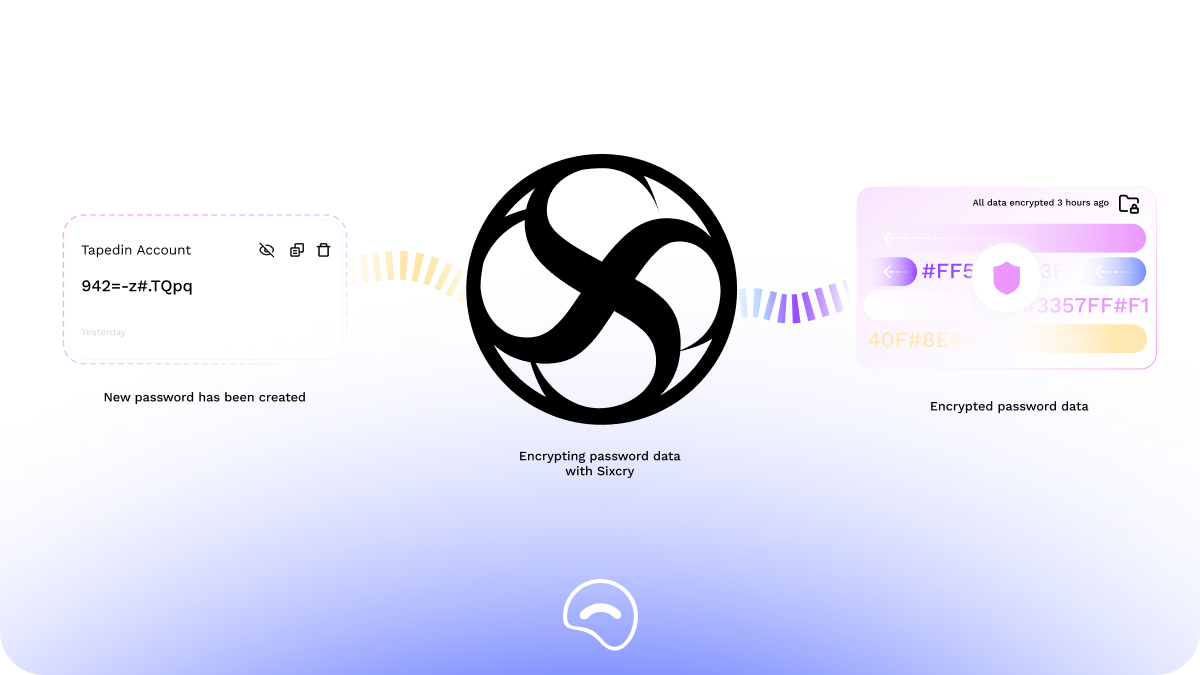
A Blend is a unique combination generated using Sixcry DNA encryption model for your Cloudsky setup and associated with your device (.csb).
Think of it as an important part of your device's security architecture rather than simply another password.
Your primary device establishes the initial security environment for your Cloudsky account. When additional devices or secondary browsers are added, they can be managed through this security setup.
Because your Blend is unique, it should be treated as sensitive security information.
Anyone who obtains sensitive recovery information may potentially gain an opportunity to compromise the security of your account or encrypted data. For that reason, your Blend should never be treated like an ordinary note or password.
One of the most important principles in security is:
Information that does not exist online cannot be stolen through an online attack.
This is the fundamental idea behind offline backups and cold storage.
If your Blend is stored only on your computer, phone, cloud storage, email account, screenshots, or messaging applications, it could potentially be exposed through:
Your device can be connected to the internet while your most sensitive recovery information remains completely offline.

The idea is similar to how cryptocurrency cold wallets work.
A cold wallet is designed to keep sensitive cryptocurrency credentials, particularly private keys, away from internet-connected environments whenever possible.
The objective is simple:
Keep the secret offline until it is actually needed.
Cloudsky's offline Blend backup follows a similar security principle.
Your normal Cloudsky usage can remain convenient and connected, while your critical recovery information can be stored separately in a secure physical location.
This creates a useful separation:
Everyday access → online and convenient
Recovery information → offline and protected
This separation reduces the number of ways an attacker can reach your most sensitive information.
The ideal location should satisfy three requirements:
Private + physically secure + accessible when needed.
Examples include:
A home safe can provide protection against casual access and unauthorized handling.
A bank or other secure storage facility can provide physical protection and geographic separation from your primary residence.
For additional resilience, you may choose a secure location separate from your primary home.
The important principle is that your backup should remain offline and physically protected.
For sensitive recovery information, avoid storing your only copy in locations that are connected to the internet.
That includes:
A particularly important rule is:
Do not send your Blend to yourself by email or messaging.
Email is convenient, but convenience is not the same thing as secure offline storage.
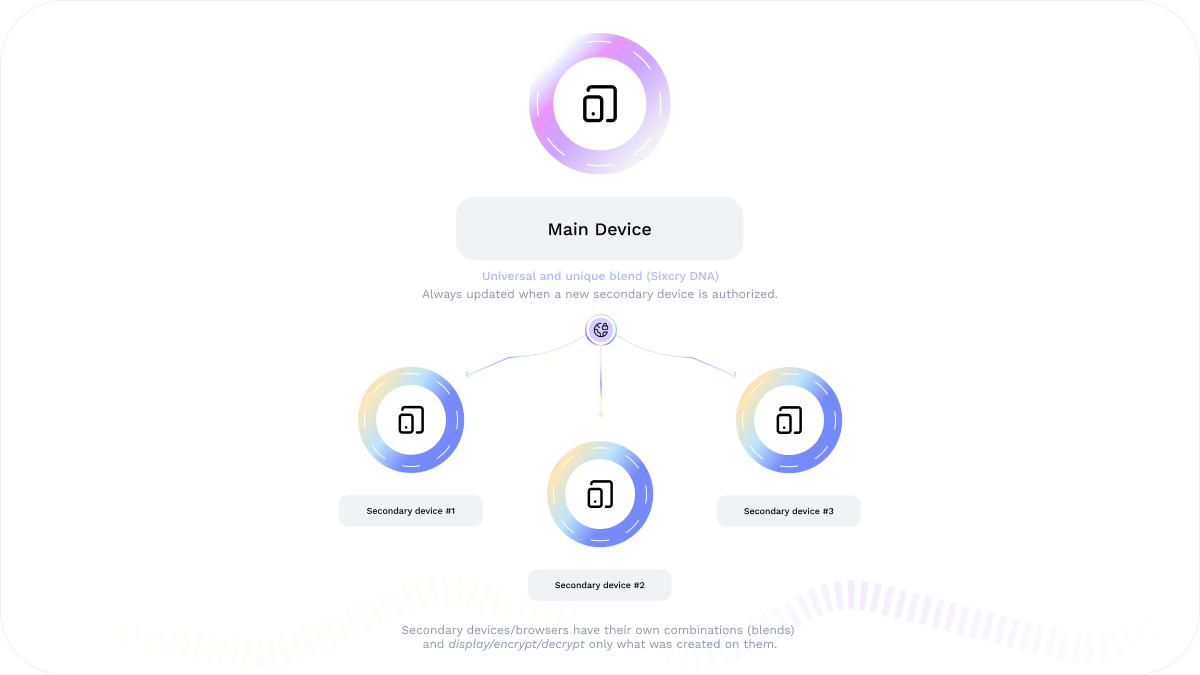
Cloudsky's device model makes it particularly important to understand the difference between your primary device and secondary devices.
Your primary device establishes your initial security setup, this is your first blend main File.
This first blend is the only one which you can encrypt/decrypt any password created on this device/browser or on secondary device/browser.
It's always updated when a new secondary device is allowed and you need to update wherever you saved the main blend file this new version with the new secondary device allowed.
Otherwise you are not going to be able to encrypt/decrypt the passwords created from the new secondary device allowed on your main device.
Additional devices or secondary browsers may then be added to your Cloudsky environment.
This means your offline Blend backup should be treated as a foundational part of your security strategy rather than something that belongs to only one browser session.
If you replace your phone, lose your laptop, or move to another device, having your recovery information safely stored offline can help prevent a single hardware failure from becoming a permanent loss of access.
Strong encryption (E2EE) is only one part of a secure system.
A complete security strategy also needs to consider key protection, device security, recovery, physical security, and offline backups.
The same principle that makes cold wallets valuable in cryptocurrency applies broadly to sensitive security information:
Keep your most important secrets away from the internet whenever they do not need to be online.
For Cloudsky users, your unique Blends is an important part of your security setup. Keeping a secure offline backup can help protect against device loss, hardware failure, account-access problems, and other unexpected situations.
Security does not have to be complicated.
Sometimes, the strongest security measure is simply keeping your most important secret somewhere the internet cannot reach.